
Why we're doing this
At the end of the previous post I mentioned testing ComfyUI and diffusion models. That wasn't a throwaway line - it's the next logical step for bigunphoto. The idea: a client uploads a photo, picks a scenario - a walk in Amsterdam, a fashion shoot, a coastal portrait - and gets back a set of images in the photographer's visual style. No physical shoot required.
The question was where to start. I had zero experience with image generation pipelines beyond using consumer apps.
Why ComfyUI specifically
I started with small research. These days anyone could generate high quality images with Google Gemini by help of nanobanana or with ChatGPT or even via this weird discord type of approach using MidJourney. But these are mostly web services not possible to be integrated with bigunphoto.com. I needed something image specific as well. The most easiest and obvious path would be an API - Replicate, fal.ai, something managed. Pay per generation, no infrastructure headaches.
At the same time I was looking for DYI solution because I have interest to practice a bit with this area. Another principle was pay-as-you-go with as little expenses as possible for MVP.
On the other hand, the style problem. Tatiana's photography has a specific visual signature - the way she works with light, the mood, the framing, selection of poses. A stock diffusion model doesn't know about it. Teaching it requires fine-tuning, and fine-tuning means controlling the pipeline. Managed APIs don't give you that at a reasonable cost.
I have a MacBook M4 Max with 36GB unified memory. Not the most powerful machine on a market, but I found it is capable to run diffusion models like FLUX of JuggernautXL. The marginal cost of a generation is electricity. That felt like the right place to prototype before committing to cloud inference costs. So I deployed ComfyUI on it.
ComfyUI is a node-based interface for building image generation pipelines. You wire nodes together - each node does one thing: load a model, apply a preprocessor, run the sampler, decode the output. The workflow is a graph. You can see exactly what's happening at each step, which is useful when something goes wrong, and things will go wrong.
It almost doesn't have alternatives now, Automatic1111 wasn't updated for more than a year already. I chose ComfyUI because the graph model maps better to how I think about the pipeline as a system, and because it exposes more control over individual steps. Also, workflows are JSON files, which means they can be called programmatically from the backend - important when this becomes a product feature.
The scenario: a walk in Amsterdam
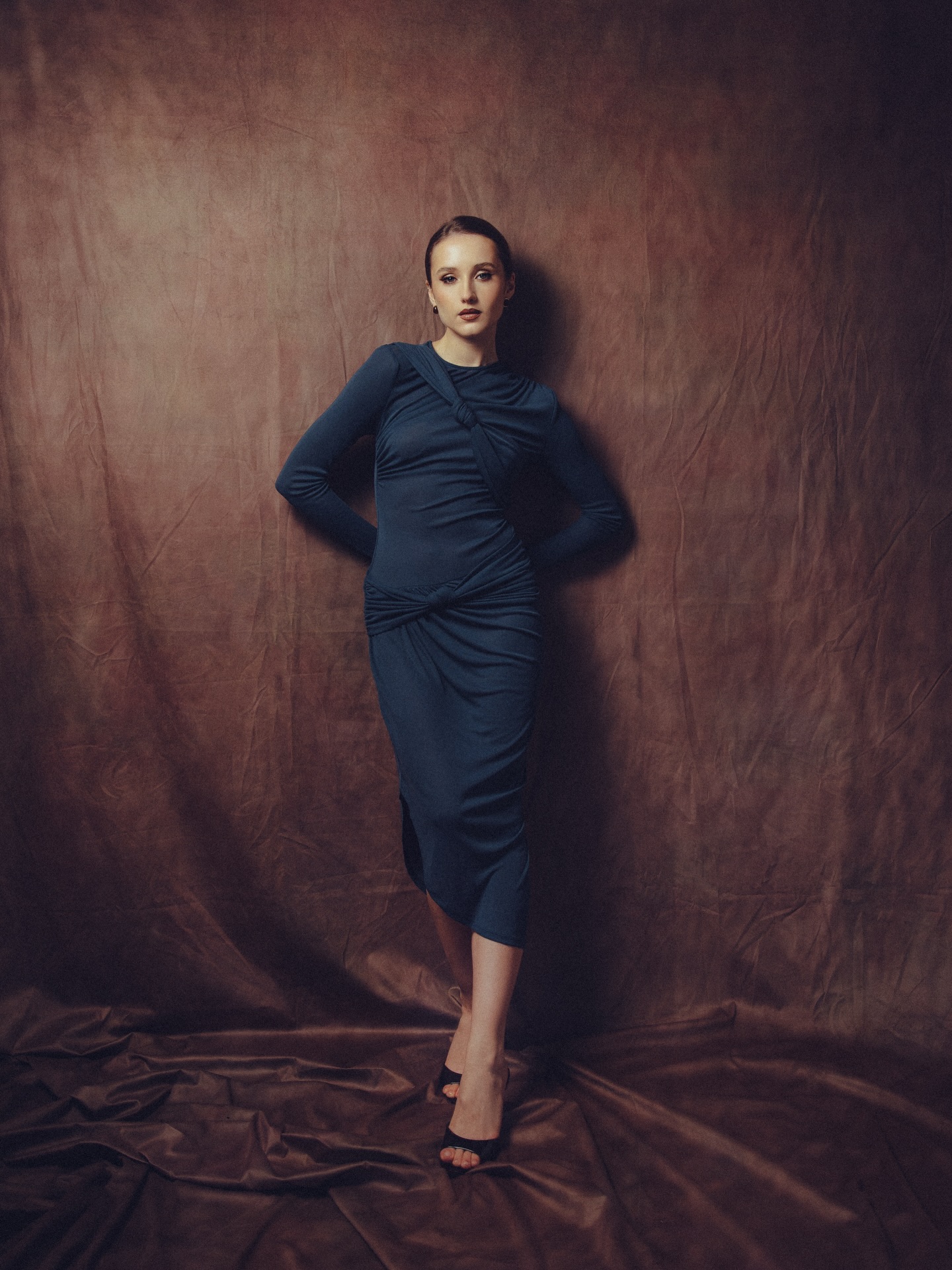
For the first test I chose a full-length photo of a model and wanted to put her in Amsterdam. Preserve the face and body proportions, change the background, change the pose slightly.
That's three separate problems, and each needs its own node.
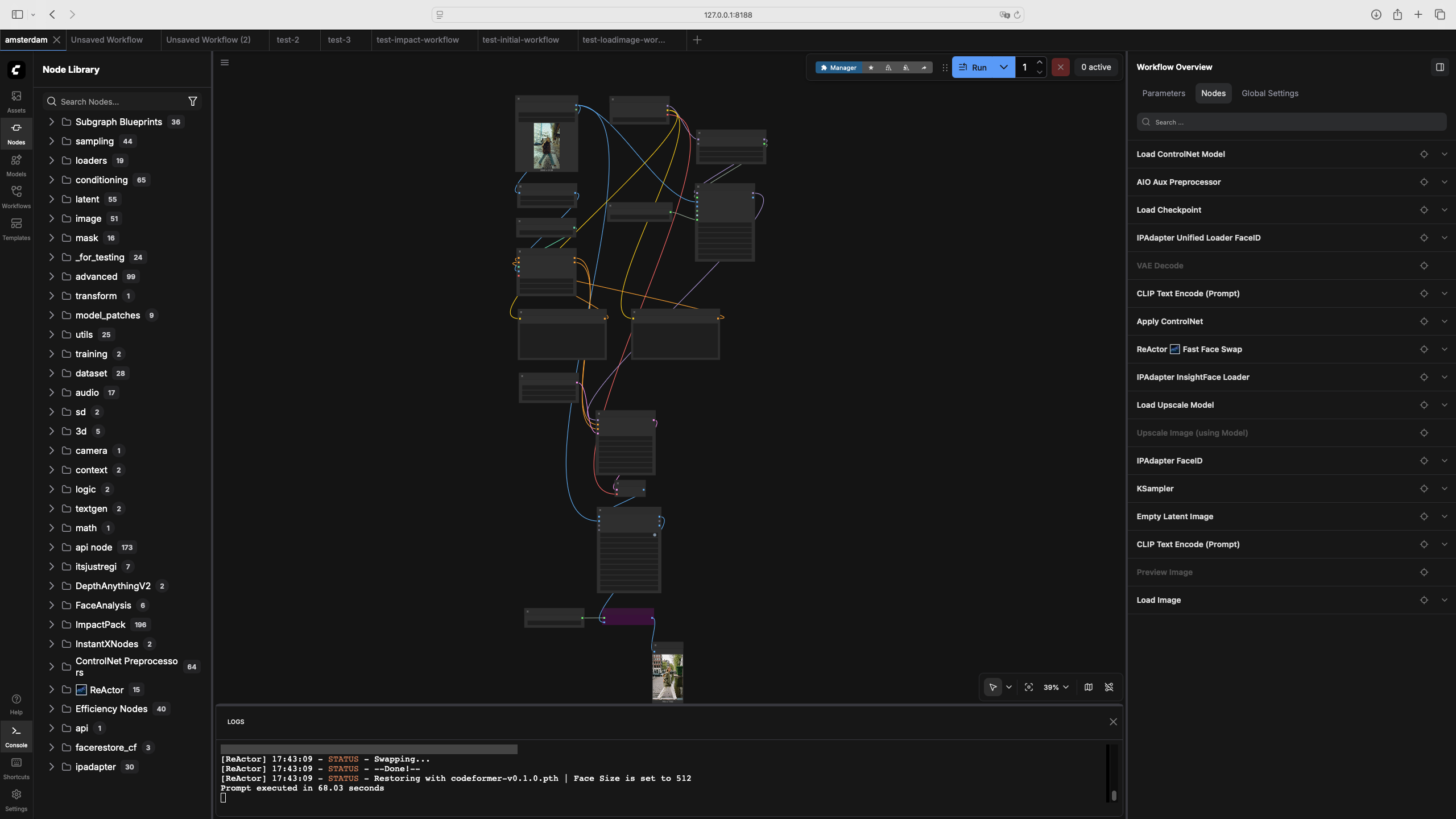
The depth map handles body proportions. The AIO Aux Preprocessor with DepthAnythingV2 takes the source photo and produces a grayscale depth image - lighter pixels are closer to the camera. This encodes the volume and silhouette of the figure without locking the pose completely. The ControlNet model reads this depth map during generation and uses it as a constraint. Strength at 0.65, end_percent at 0.65 - meaning ControlNet influences the first 65% of the diffusion steps, then lets the model work freely on details. Lower strength gives more pose freedom; higher strength copies the silhouette more literally.
The face is handled by IPAdapter FaceID. This is not face swapping - it encodes the face from the source image as an embedding and conditions the generation to produce a similar face. The IPAdapter Unified Loader FaceID loads the model with the FACEID PLUS V2 preset. InsightFace handles the face detection and embedding extraction. The weight parameters control how strongly the face embedding pulls the generation - too low and the face drifts, too high and everything else becomes rigid.
ReActor runs at the end as a correction layer. After generation, it does a direct face swap from the source photo onto the generated result. IP-Adapter gives the model a direction; ReActor enforces the destination. Together they handle the cases where IP-Adapter produces a face that's close but not exact - which happens more often with profile shots than with frontal ones.
The checkpoint is Juggernaut XL. It's trained for photorealistic humans and gives better full-body results than the base SDXL model. The sampler is dpmpp_2m_sde with a Karras scheduler - better fine detail than the default Euler. CFG at 6.0, 30 steps.
What we got
The first results were broken in several interesting ways: ReActor was wired backwards and swapped the face onto the source photo instead of the generated one. The upscaler produced what looked like a melting CRT monitor. InsightFace wasn't connected at all, so IP-Adapter was working without face embeddings.
Each of these was a wiring mistake, not a model failure. That's the thing about ComfyUI - the graph is explicit, so errors are usually findable. Fix the connection, run again.
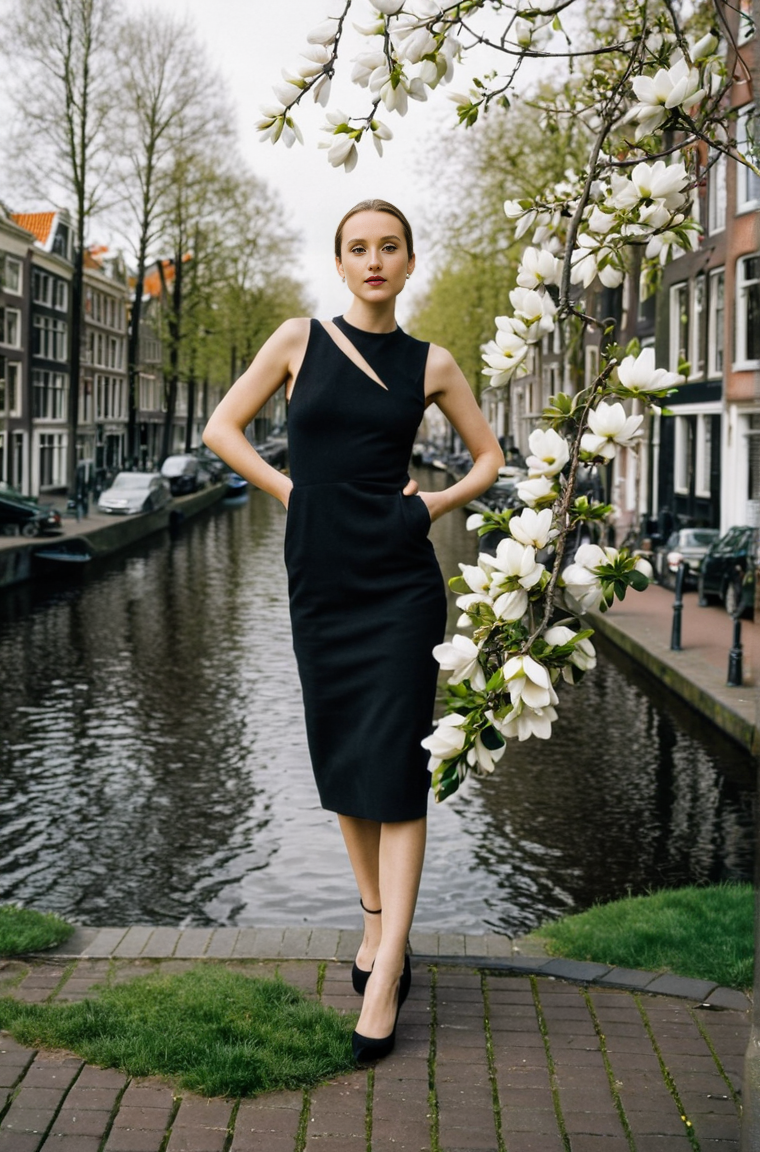
After sorting out the connections: the Amsterdam canal background is convincing, the proportions hold, the clothing changes but the figure doesn't, the pose shifts naturally. The face is close - noticeably the same person, not a perfect clone. Getting to exact likeness is a function of source photo quality and angle. Frontal shots with good lighting give better results than profiles.
The light mismatch between figure and background is the remaining visible artifact. The source was studio-lit; the generated background is outdoor diffused light. They don't quite agree. This is a known problem and there are approaches to address it - colour grading nodes, more careful prompt engineering around lighting, or a different generation strategy for the background. That's next.
What's coming
The workflow works well enough to be a foundation. The next steps I started to work in parallel:
Connecting ComfyUI with site, creation of jobs and workers, user and admin interfaces. I already have working MVP for this, which I am currently testing locally. Soon I will make another post about it and release on production.
Another story is creation of sophisticated workflows, which could help to generate set of images with different poses, support change of clothes etc.
Another big thing is training a LoRA on Tatiana's portfolio - that's what will embed the visual style into the generation, not just the location.
If this sounds like something you'd use - a virtual photo session in your choice of location, in the aesthetic of a real photographer - we're building it. Follow the blog and stay tuned. If you are interested - very soon you would be able to give it a try.